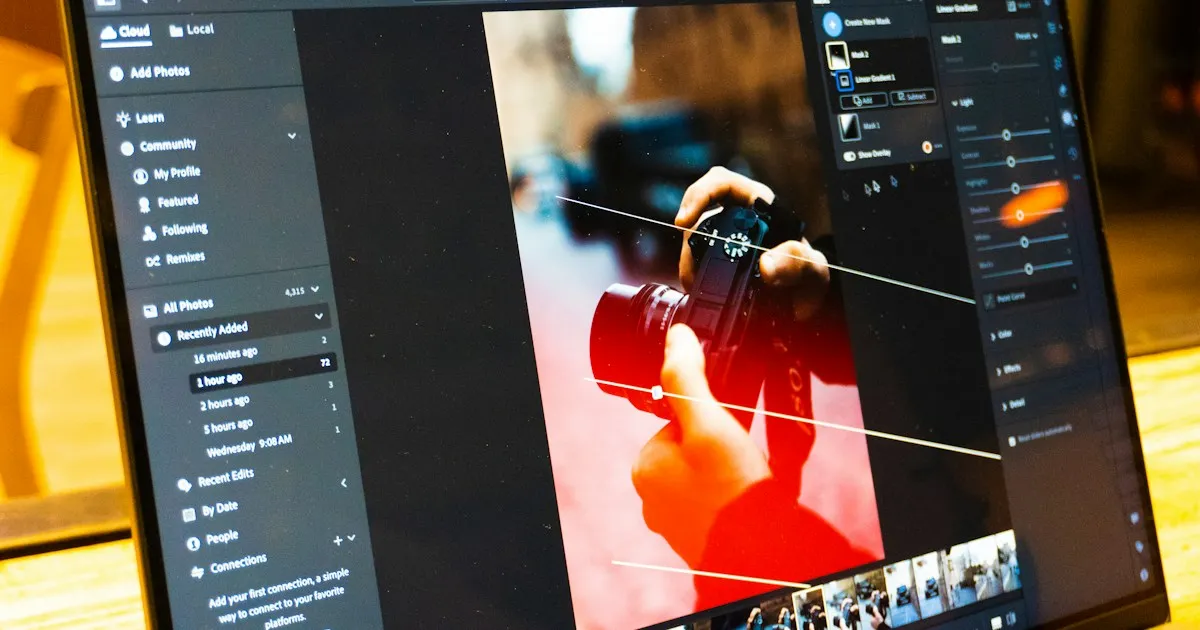
LightCraft: the open-source Lightroom in Rust, what it edits
LightCraft is a free photo library and RAW development tool, rewritten in pure Rust, aimed at replacing Lightroom outside Classic. It runs natively on macOS, Windows and Linux, in a browser through WebAssembly, and it can be driven end to end by an agent. Its README estimates coverage at about 79% of Lightroom’s features, and 98% for the core, but only 60 to 70% for daily use.
What it edits
The editing covers the basic sliders: exposure, contrast, highlights, shadows, whites and blacks, with edge-aware local tone mapping. Colour calculations run in OkLCh.
White balance offers temperature, tint and an eyedropper. Vibrance protects skin tones, and an 8-band colour mixer allows fine adjustments. Three-way colour grading wheels cover shadows, midtones and highlights.
The tone curve exists as a parametric version and as a point curve, in RGB or per channel. It stays monotonic by construction, which avoids sudden inversions. The pipeline is non-destructive, uses 32-bit floating point, and works in a linear Rec.2020 space.
Masks and local adjustments
Masks include the brush, linear and radial gradients, luminance and colour ranges, and sky, subject and background, detected with classic heuristics. They combine by addition, subtraction or intersection. Fifteen local adjustments are available, with a global amount.
The subject and sky are found with classic heuristics, not an AI model. AI, together with masking, denoising and super-resolution, appears among the announced gaps.
Catalogue
The catalogue handles albums, folders, notes, flags, colour labels, field-based search and multi-column sorting. Grids are virtualised, and 18 presets are built in, with an amount from 0 to 200%.
Settings can be copied and synced from one photo to another. XMP sidecars are read and written. Export covers JPEG, PNG, TIFF, WebP, AVIF and DNG, and HDR merging and panoramas are available.
What’s missing
The main gaps are sensor colour calibration, some compressed RAW formats (Olympus, CR3 variants), AI, HDR and video, plus the print, book and map modules. At the time of reading, the Releases section of the repository is empty, and no version number is published.
The performance claims
The project gives figures on a 24-megapixel RAW, an Apple M4 Pro and the GPU:
- updating a slider: about 4 ms;
- a cold loupe view on 2.5 megapixels: about 30 ms;
- a full-size export, parallel JPEG encoding included: about 0.3 s;
- opening a RAW from the embedded preview or the cache: about 0.1 s, full render between 0.2 and 0.5 s;
- moving to the next photo: about 50 ms.
These are the project’s own numbers, on a single hardware setup. They show the interface is built for responsiveness, which is the first thing a photographer notices in a catalogue of several thousand photos.
A guide for an LLM agent
Every action in LightCraft, whether a menu item, a slider, a brush or a shortcut, is a command with a stable identifier and JSON parameters. The MCP server can run headless or connect to the desktop app.
Compile the binary once, then register it with the client:
cargo build --release -p lightcraft-cli
claude mcp add lightcraft -- /path/to/lightcraft-cli mcp ~/Pictures/shoot
Connected mode uses --connect 127.0.0.1:7980, with the app started by lightcraft --control 7980. --library DIR opens a persistent library, and --compact hides the cmd_* tools to save context.
The common tools are command_list, command_run, command_batch, doc_inspect and render_preview. Helper tools cover import, query, develop, masks, rendering and export: query_photos, select_photos, get_develop, set_develop, apply_preset, crop, render_photo and export. Each command also exists as its own tool, prefixed with cmd_ and with dots replaced by underscores, such as cmd_develop_set.
The interface tools (ui_screenshot, click, press_key, pointer_gesture) only work in connected mode. In headless mode, they return an error that explains how to start the app.
Points to watch:
- nested parameters of
cmd_*commands don’t come with a machine-readable schema: check them withcommand_listbefore sending; - one agent action, including a slider drag, counts as one undo step;
- a library can only be opened by one program:
--libraryfails if the app already holds it; - exports in connected mode are synchronous, and progress or cancellation only work with a direct headless export;
- an unknown argument key returns
-32602.
To sort a folder of photos, an agent can import, rate or flag the images, apply a preset, then export with export. It should render a preview with render_photo before exporting the whole batch.
Verdict
LightCraft is usable for sorting, editing and exporting a shoot of RAW files, as long as you accept the gaps listed above. It doesn’t replace Lightroom for a professional workflow that depends on sensor calibration or AI. To get a feel for it, take a shoot of twenty photos, export them, and compare the result with your usual reference.
Related articles
ArtCraft: the open-source Rust suite that mimics Adobe
ArtCraft brings together seven free Rust apps that rebuild Photoshop, Premiere, Lightroom and their cousins: status, licences, MCP and limits.
Lire l'article →
PhotoCraft: open-source Photoshop in Rust, what it can do
PhotoCraft, free image editing written in Rust: layers, PSD files, 500 commands for agents, claimed performance, and what's still missing from the project.
Lire l'article →Sources
What I read, watched or checked while writing this article.
- storytold/lightcraft GitHub repository: features, announced status, platforms, licence and performance figures noted on 9 October 2026 github.com (opens in a new tab)
- docs/mcp.md in the lightcraft repository: MCP tools, launch, client configuration and limits raw.githubusercontent.com (opens in a new tab)