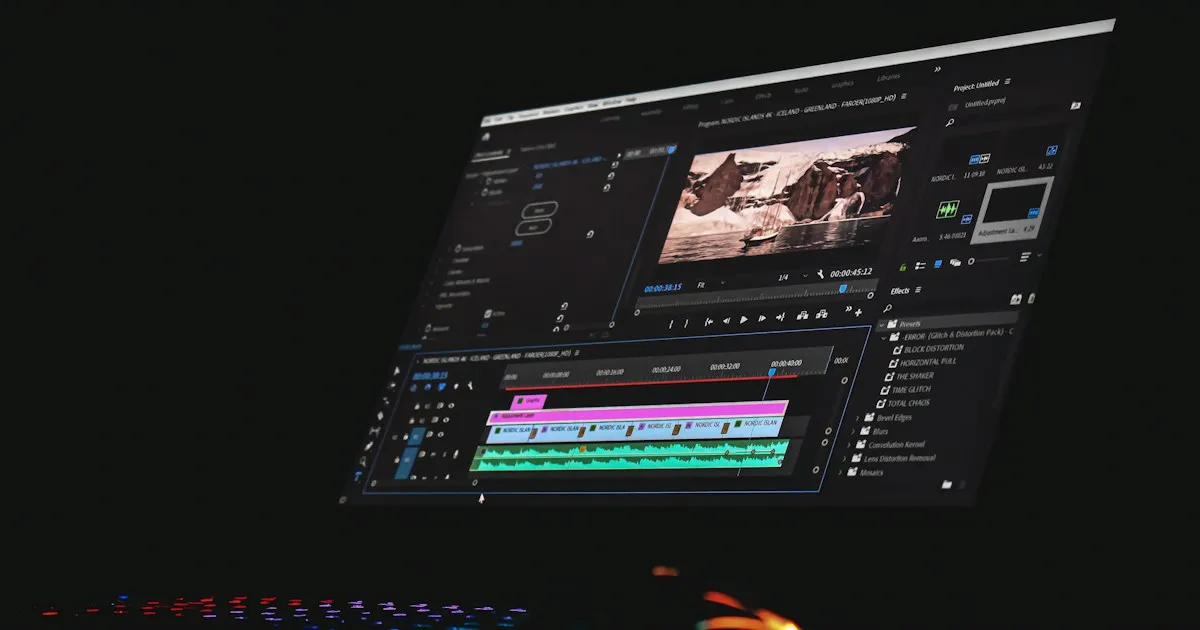
FilmCraft: open-source Premiere Pro in Rust, where it stands
FilmCraft is a video editing, colour grading and audio application written in Rust, under the MIT or Apache-2.0 licence. It presents itself as a “clean-room” reimplementation of Premiere Pro: the same panels, the same workspaces, the same shortcuts. Version 0.1.0 is dated 2 October 2026, and 0.4.0 is dated 8 October. The project already covers basic editing, grading, audio and export, but it isn’t ready for client work yet.
What’s there
On the editing side, you get three-point editing, every kind of trim (ripple, roll, slip, slide, razor), nested sequences, markers and unlimited undo. Time is stored as integers, at 254,016,000,000 ticks per second, which avoids drift on long timelines. Atomic saving and a recovery log protect the project after a crash.
Grading follows the Lumetri-style panel: white balance, RGB curves, colour wheels, secondary HSL and vignetting. Scopes are computed in linear light, on 32-bit floats. Audio offers BS.1770 and EBU R128 loudness meters, effects (equaliser, dynamics, limiter, reverb) and a mixer with automation in Read, Latch, Touch or Write modes.
For subtitles, the project handles CEA-608 and CEA-708, Teletext, SRT, WebVTT and SCC. It also reads and writes Final Cut Pro 7 XML, FCPXML, OpenTimelineIO, CMX 3600 EDL, AAF and OMF 2.0, so you can move a cut to another application.
Formats are more uneven. Decoding covers H.264, HEVC, ProRes, VP9, AAC, Opus and AV1. H.264 encoding is software only, and export goes to H.264, ProRes 422 HQ, MJPEG, MXF, PNG sequences, animated GIF or WAV. Binaries exist for macOS, Windows, Linux and FreeBSD, and a WebAssembly build is announced.
What’s missing
The project itself estimates it is ready for real work at 50 to 60%, and that it covers about 87% of Premiere’s features on its checklist. The gap lies in the details that matter in production:
- Lumetri, overlays and export still run on the CPU, which slows down large files.
- There are no plugins at all: no VST3, no AU, no OpenFX.
- H.265 export goes through hardware only, and AV1 can’t be exported.
- Tests mostly use reference files. Few camera or phone rushes have been run through it, and Windows and Linux are tested less than macOS.
That last point matters most. Software validated on conformance files behaves differently with the rush from a phone filmed in portrait.
The performance claims
The project publishes figures. They come from the project itself, and the page doesn’t always spell out how they were measured:
- bit-exact H.264 decoding across 37 streams: 500 to 600 frames per second at 1080p;
- HEVC decoding: about 225 frames per second at 1080p;
- mixing 24 tracks with three effects each: about six times real time, on a single core;
- integrated loudness identical to ffmpeg’s
ebur128to within a tenth of a LU.
These measurements cover decoding and audio, the parts the project has worked on most. Grading and export, which the project admits are slow, aren’t in the list. To judge real speed, that’s where to look, with your own rushes.
A guide for an LLM agent
FilmCraft exposes more than 650 commands. Each menu, button or drag-and-drop is a command with an identifier, typed parameters and an enabled state. The MCP server runs over stdio and has two modes.
Headless mode works without a window, on an empty project, a demo or a .fcproj file. Bridge mode drives an open application started with --control 9876, and adds interface tools.
For Claude Code, the repository ships a .mcp.json that declares both servers. First, compile:
cargo build --release -p filmcraft-cli -p filmcraft
claude mcp add filmcraft-headless -- /absolute/path/target/release/filmcraft-cli mcp --demo
For another client, the bridge mode configuration looks like this:
{
  "mcpServers": {
    "filmcraft": {
      "command": "/abs/path/filmcraft-cli",
      "args": ["mcp", "--bridge", "127.0.0.1:9876"]
    }
  }
}
The exposed tools are command_list, command_run, command_batch, doc_inspect, render_preview, project_inspect, sequence_inspect, media_import and render_frame. Bridge mode adds ui_inspect, ui_elements, ui_click, ui_drag, ui_key, ui_type, ui_screenshot and ui_control.
The loop the repository recommends: inspect the project or sequence, get the identifiers, run a command, check the result with render_frame or ui_screenshot, then go back with edit.undo if the result is wrong. render_frame is read-only: it doesn’t move the playhead or the selection.
A few practical rules:
- a command that depends on the selection stays disabled until something is selected, unless the agent passes its targets explicitly;
timeline.movealso moves linked clips, unless you pass"linked": false;- a track that doesn’t exist returns an error, never another track;
- interface element identifiers come from the previous frame: after a layout change, read them again;
- for a long export, use
wait: trueand follow the progress, or queryjobs.listand cancel withjobs.cancel.
Version history
| Version | Date | Highlights |
|---|---|---|
| 0.1.0 | 2 Oct 2026 | First public release. |
| 0.2.0 | 5 Oct 2026 | Reliability work: panics removed from almost every module, AIFF import, rotation of phone videos. |
| 0.2.1 | 6 Oct 2026 | Blend modes and standard effects on the GPU compositor, VideoToolbox hardware decoding, annotations on MCP tools. |
| 0.4.0 | 8 Oct 2026 | Windows ARM64 builds, interface in Japanese, Spanish and Brazilian Portuguese, nested sequences, APV decoder and encoder. |
The releases page shows no 0.3.x version. I don’t know whether one existed. This pace tells two things: a team that ships quickly, and features that are still moving a lot.
Verdict
FilmCraft is fine for learning editing, for testing an agent on an editing project, or for a short piece with no plugins that exports to H.264 or ProRes. For a client project with camera rushes and subtitles to deliver, it’s not the right tool yet.
The most useful test takes three steps: take a finished cut, export it as FCPXML or EDL, then open it here. What breaks will tell you more than any status table.
Related articles
ArtCraft: the open-source Rust suite that mimics Adobe
ArtCraft brings together seven free Rust apps that rebuild Photoshop, Premiere, Lightroom and their cousins: status, licences, MCP and limits.
Lire l'article →
Du code à la vidéo : mon flux de travail
Comment je passe d'un projet de code à une vidéo YouTube, sans perdre la moitié de mon temps dans les outils.
Lire l'article →Sources
What I read, watched or checked while writing this article.
- storytold/filmcraft GitHub repository: features, architecture, licence, performance figures and statistics noted on 9 October 2026 github.com (opens in a new tab)
- docs/agents.md in the repository: MCP server configuration, tool list and limits of bridge mode raw.githubusercontent.com (opens in a new tab)
- GitHub releases page: dates and notes for versions 0.1.0 to 0.4.0 (8 October 2026) github.com (opens in a new tab)